
Import Your eBird Sightings into Feathers
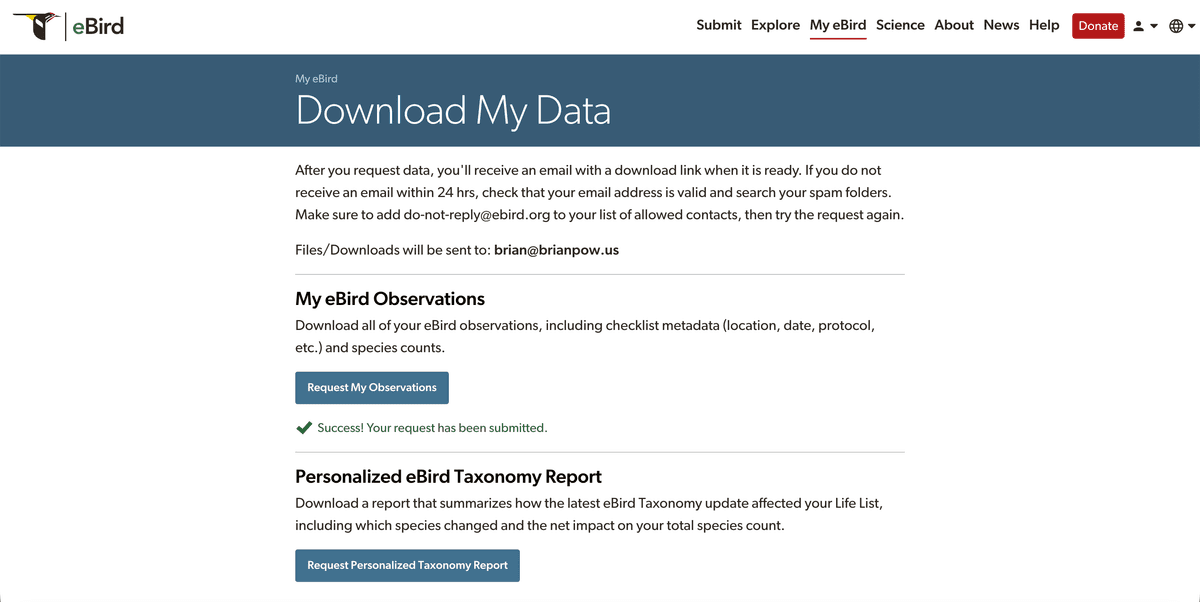
Step 1: Download Your eBird Data
Visit eBird’s download page and request your full dataset. You’ll receive a ZIP file containing one or more .csv files with all your eBird checklists and sightings.
Step 2: Prepare Your CSV
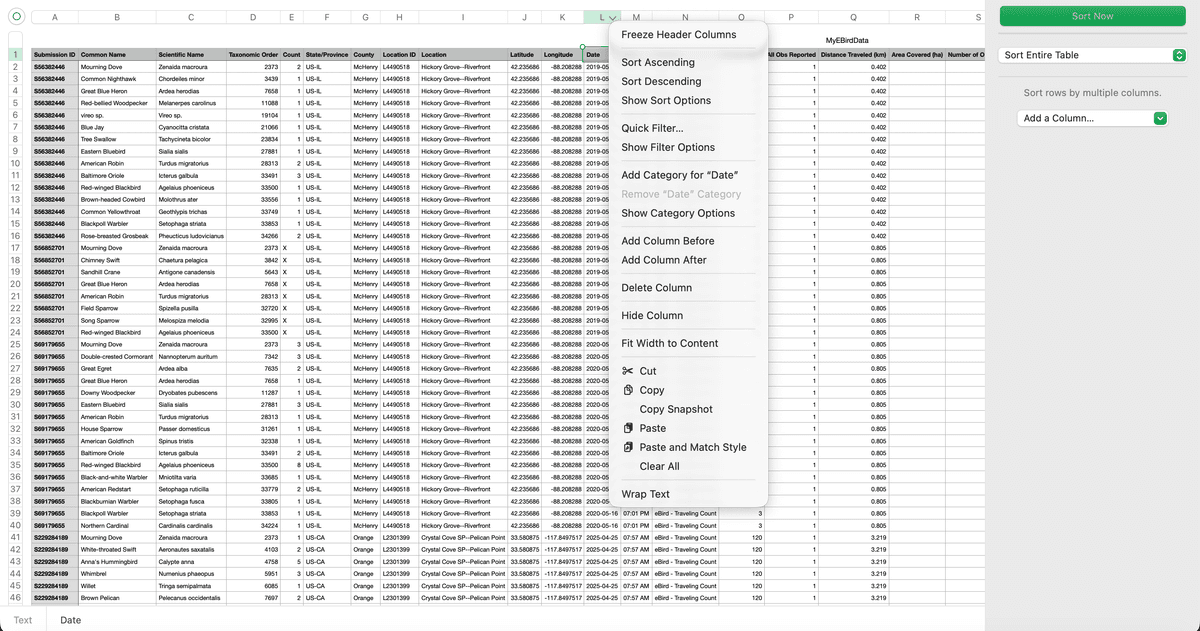
Open the downloaded .csv file and review it. We recommend sorting your sightings by Date before importing in case you need to attempt importing smaller batch sizes.
If you encounter issues while importing, try importing in smaller batches (e.g., up to ~1,000 rows at a time). You can do this by copying/deleting rows so that only the entries you want to import remain in the file.
If you encounter issues while importing, try importing in smaller batches (e.g., up to ~1,000 rows at a time). You can do this by copying/deleting rows so that only the entries you want to import remain in the file.
Step 3: Upload Your CSV to Feathers
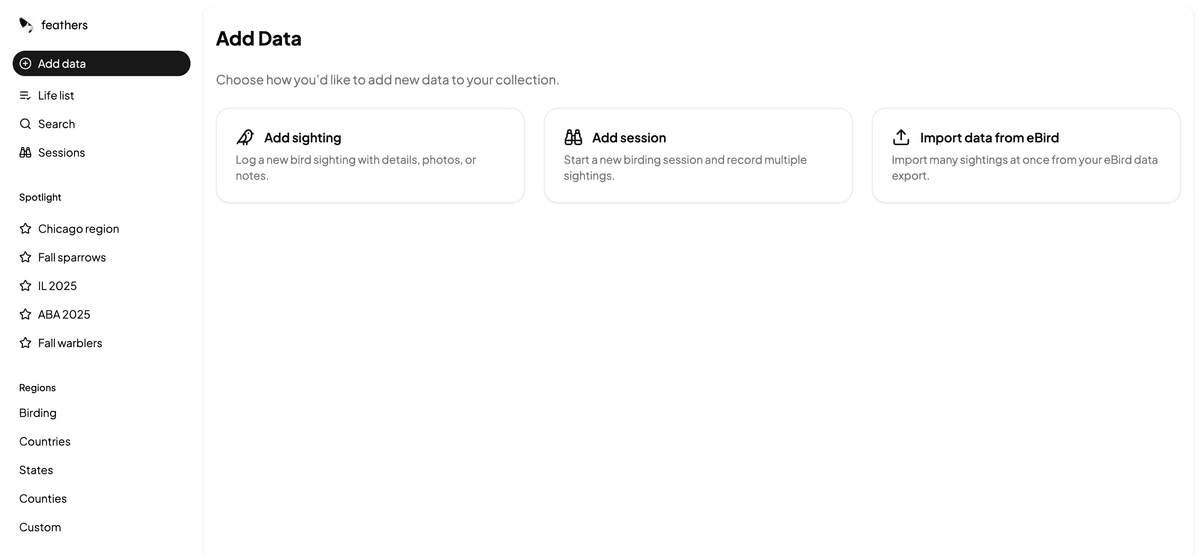
In the Feathers app, go to the Import section and upload your prepared CSV file. Feathers will automatically convert your eBird records into sightings and sessions.
Step 4: Review Your Imported Sightings
Once the import finishes, you’ll see your newly added sightings and sessions in Feathers. Review them to ensure everything imported correctly and is linked to the right species and locations.